In order to copy an existing lead form within the same Scan2Lead PORTAL (same email address)
- login with your credentials at the
Scan2Lead PORTAL
- select menu Configuration and click Lead form
- click the Import / Export Button on the left side
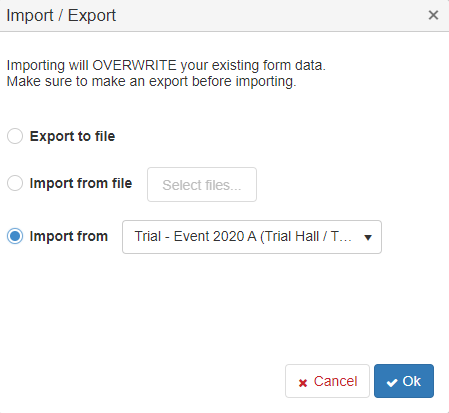
- select Import from and select the event from which the Lead form should be copied from
- click OK to start
Hint: importing will OVERWRITE the existing lead form and cannot be undone!
In order to copy an existing lead form from another Scan2Lead PORTAL (different email address)
- login with your credentials at the
Scan2Lead PORTAL
- select menu Configuration and click Lead form
- click the Import / Export Button on the left side
- select Export to file to save the lead form from the selected event
- click OK to start
- login with your different credentials at the
Scan2Lead PORTAL
- select menu Configuration and click Lead form
- click the Import / Export Button on the left side
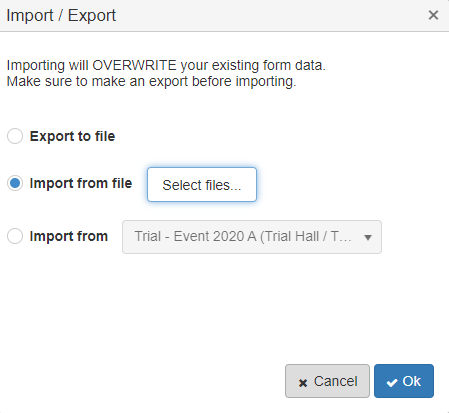
- select Import from file and select saved lead form file to import into the selected event
- click OK to start
Hint: importing will OVERWRITE the existing lead form and cannot be undone!